PHISHING-RESISTANT SECURITY

The Shield That Works When Human’s Make a Mistake

Advanced protection that works even when someone clicks a ‘dodgy’ link.


In 2026, one wrong click shouldn’t put your business at risk.

We implement phishing-resistant security – Passkeys and FIDO security keys – that protects your business even when someone clicks a malicious link. No passwords to steal. No codes to intercept. Just security that works even when humans make innocent mistakes.

traditional security is losing


You know what phishing is. Everyone does by now – those fake emails pretending to be from Microsoft, your bank, a trusted colleague, or even a family member.


Phishing isn’t new. What’s new, however, is how sophisticated these attacks have become – and how traditional security, even multi-factor authentication (MFA), can be easily bypassed.

The Cyber Arms Race Has Moved On


How scammers and hackers have evolved to target our vulnerabilities:

Your employee gets a legitimate MFA approval request on their phone – except they didn’t try to log in. Then another one. And another. Every few minutes. For hours.

Eventually, exhausted or assuming it’s a system glitch, they tap “approve” just to make it stop.

The hacker was trying to break into their account repeatedly. By approving just once, your employee has let them in – completely bypassing the MFA that was supposed to protect them.

Let’s use a Microsoft login as an example.


Your employee receives an email and a legitimate link to a page that looks exactly like a Microsoft login page – but it’s a fake. They enter their username and password. The system asks for their MFA code. They enter it.


Here’s what they don’t see: That fake page is acting as a middleman between them and the real Microsoft login. As they type, the hacker captures their credentials and forwards everything – in real-time – to the actual Microsoft service.


The hacker logs in to the real Microsoft account using these legitimate credentials while the MFA code is still valid. Once inside, they steal the “session token” – a special code that keeps users logged in (see Session Token Theft below). With this token, they can access your employee’s account and your business systems without needing passwords or MFA codes again.


By the time your employee realises something’s wrong (if they ever do – these attacks often forward people to the legitimate page once credentials are stolen), the attacker is already inside your systems using credentials that were “verified” by your own MFA.

Once you successfully log in to any service, your device receives a “session token” – think of it like a digital wristband that says “this person already proved who they are, let them back in.”


Session tokens are what allow you to close a browser tab and return later without needing to log in again – convenient for legitimate users, but a security vulnerability if stolen.


Hackers have learned to steal these session tokens after you’ve legitimately authenticated, often through phishing attacks like the “Real-Time Phishing” method described above. Once they have your session token, they can access your accounts without needing your password or MFA codes at all – because the system thinks they’re you continuing an already-verified session.

Your finance manager receives a phone call from someone claiming to be from your IT provider’s support team. “We’re seeing suspicious activity on your account and need to verify it’s you. We’re going to send you an MFA code – can you read it back to us to confirm?”


They sound professional. They know internal details about your company. The MFA code arrives. Your employee reads it out.


The caller wasn’t verifying anything – they were actively breaking into the account and needed that code to complete the login. By the time your finance manager realises what happened, sensitive data has already been accessed.


The advice is clear: No one – absolutely no one – should ever ask you for security credentials. Not your IT provider, not your bank, not your solicitor. Whether it’s a password or an MFA code, legitimate services never ask you to share them.


However, in a moment of distraction or under pressure while juggling a dozen other priorities, it’s very easy to forget this advice. This is where security controls need to step up – protecting people even when they’re being human.

The Statistics Tell the Story:

-In 2024, 84% of data breaches started with a phishing attack

-Many of these bypass traditional security measures and MFA using the techniques above

-Your team makes key [security] decisions during their busiest moments – Monday morning rushes, during urgent client requests, or end of day fatigue

The problem isn’t careless employees. It’s that we’re asking people to constantly be hyper-vigilant and make perfect security decisions when cybercriminals have evolved attacks specifically designed to exploit normal human behaviour under pressure.

And then there’s the dreaded blame culture that follows when someone makes an innocent mistake. The embarrassment and shame that a data breach can cause someone for simply clicking on the wrong link, when the systems and work culture around them set us up to fail.

There’s a better way. It’s called phishing-resistant security – and it massively decreases the risk of these attacks, regardless of what your employees click or approve.

The Lumina Approach

Security That Works When Mistakes Are Made

We don’t blame people for being human. We build security that protects your team even during their busiest, most distracted moments – because technology should work for people, not expect people to be perfect.

We Implement Phishing-Resistant Technology

Passkeys and FIDO security keys use advanced cryptographic technology (trusted by Microsoft, Google, and Amazon) to create authentication that cannot be phished – even by the most sophisticated scammers.


How it works in practice:

The Setup

Your employee receives a convincing fake email with a link to what looks exactly like a Microsoft login page. They’re rushing through emails on a Monday morning. They click the link. They enter their login credentials.
What they don’t see: the fake page is acting as a middleman between them and the real Microsoft login.

how mfa is bypassed

With traditional passwords and MFA: The fake page captures their password and MFA code in real-time. The scammer uses these stolen credentials to log in to the real Microsoft service, then redirects your employee to the legitimate page so everything seems normal.
Within minutes, the attacker is inside your systems. They steal a “session token” – which means they can log back in later without needing another password or MFA prompt. You’ve been breached. Later, your employee feels the crushing weight of responsibility for clicking the wrong link.

phishing-resistant security

With phishing-resistant security (Passkeys or FIDO keys): The fake page might capture the login credentials – but authentication requires the specific laptop/PC (for Passkeys) or security key (for FIDO keys) that was registered to your employee’s account.
The scammer doesn’t have that device or key. Authentication fails because login credentials are cryptographically tied to a specific physical device the attacker doesn’t have.
Your data stays protected. Your employee continues their day without ever knowing they just avoided a breach.

one wrong clicks doesn’t become a catastrophe

One wrong click stays exactly that – one wrong click. No breach. No blame. No shame. The system, through phishing-resistant security, absorbs the mistake.

The Lumina Approach

BUT, Technology Alone Isn’t Enough

Phishing-resistant security is the first pillar – elite technical controls (Pillar 1) that make your business fundamentally harder to breach.

But we don’t stop there. We combine this with:

passkeys

Lumina’s Cultural Approach

Standard “Tick-Box” Training

Ongoing, engaging education

Annual video everyone ignores

Focuses on “why it matters”

Focuses on “what not to do”

Builds confidence and buy-in

Creates resentment and fear

Evolves with emerging threats

Treats security training as “one and done”

Makes security everyone’s responsibility

Treats security as IT’s job

The best security technology in the world can’t protect you if your team doesn’t understand the threats. But equally, training alone isn’t enough – you need the cultural shift that makes security instinctive, not imposed.


That’s why Human Risk Management is part of The Shield, working alongside our technical controls and business continuity services.


Technology + Training + Culture = Lasting resilience.


Our Phishing-Resistant Solutions

Passkeys transform how we protect access to business systems by tying authentication to your specific physical device – not to information that can be stolen.


How it actually works:

Your device and the service you’re accessing share a cryptographic relationship. When you try to log in, the service sends a challenge that can only be answered by your registered device using its private cryptographic key.


Even if a scammer creates a perfect fake login page and you enter your username:

  • The fake page can’t complete authentication because it doesn’t have your physical device
  • The cryptographic challenge can only be answered by the device registered to your account
  • The scammer might capture your username, but without your specific device, they can’t log in

What this means in practice:

  • Phishing immunity – Fake login pages can’t bypass authentication without your physical device
  • Protection during human moments – Even if employees click malicious links and enter information, attackers can’t complete the login
  • No passwords to steal – Authentication relies on cryptographic keys stored securely on your device, not information that can be typed and captured
  • Already available everywhere – Supported by Microsoft, Google, Apple, and all major platforms
  • Seamless experience – Often faster than traditional password + MFA workflows


Perfect for:

  • Businesses using managed devices (Windows, Mac, corporate phones)
  • Teams comfortable with modern authentication methods
  • Organisations wanting security that protects even when employees click malicious links


The goal: Make it fundamentally impossible for criminals to complete authentication through phishing – because they don’t possess the physical device, regardless of what credentials they manage to capture.

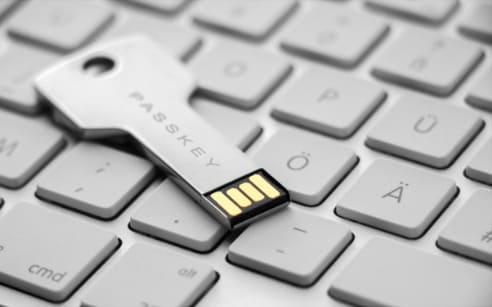
FIDO security keys use the same phishing-resistant technology as passkeys, but built into a separate physical device you can hold, distribute, and manage.


What they are:

Small physical devices (like a USB key or NFC keychain) that contain secure cryptographic credentials. Authentication requires physical possession of the key – something a remote scammer can never have.


How they work:

Your employee tries to log in to a business system. Even if they’re on a fake phishing page and enter their username, the login cannot complete without the physical security key. The employee inserts or taps their FIDO key and touches the button – proving they possess the registered device.


A scammer might capture the username from a fake page, but without the physical FIDO key, authentication fails.

What this means in practice:

  • Portable security – Same key works across multiple devices (laptop, desktop, tablet)
  • Physical control – Tangible security that’s easy to issue, track, and revoke
  • Universal compatibility – Works across different platforms and services
  • Immune to remote attacks – Scammers operating remotely cannot possess your physical key
  • Perfect for mixed environments – Supports teams using various devices and operating systems


Perfect for:

  • Finance, legal, or compliance roles requiring high-security authentication
  • Mixed-device environments (Windows + Mac + Linux)
  • Organisations needing to issue and revoke physical access tokens
  • Teams working across multiple platforms or non-managed devices
  • Industries with compliance requirements demanding strong authentication


The goal: Provide physical security tokens that make remote phishing attacks fundamentally impossible – because the attacker doesn’t have the physical key, regardless of what information they capture from fake pages.

Training teaches skills. Culture makes them stick.


The real transformation happens when security stops being “that thing IT makes us do” and becomes “just how we work around here.” That shift takes time, patience, and ongoing partnership.


We support your security culture journey through:


– Leadership engagement – helping your management team model security-conscious behaviour
– Policy development support – creating practical security policies your team can actually follow
– Ongoing reinforcement – regular touchpoints that keep security top-of-mind without being intrusive
– Positive reinforcement – celebrating good security practices, not just punishing mistakes
– Continuous improvement – evolving your approach as your organisation matures

This is Lumina’s long-term partnership in action. We’re not selling you a training course or just an IT contract – we’re walking alongside you as security becomes embedded in your organisational DNA.

Knowledge is one thing – recognising threats in real-time is another.


For organisations that want to test their team’s readiness, we offer phishing simulation exercises. These safe, controlled tests help identify where your team needs additional support, allowing us to focus training where it matters most.


Important: We only offer this as an optional service, and only in the context of a supportive training program. Phishing simulation without proper education and cultural support creates fear and blame – the opposite of what effective security requires.

This is Lumina’s long-term partnership in action. We’re not selling you a training course or a simple IT contract – we’re walking alongside you as security becomes embedded in your organisational DNA.

Ready to Build Your Shield?

Have questions? Our team is here to help you understand your options with no pressure, no jargon.


Discuss your business needs today

Get in touch Schedule a call